For freelancers and single-member LLCs
Your business taxes, ready to file
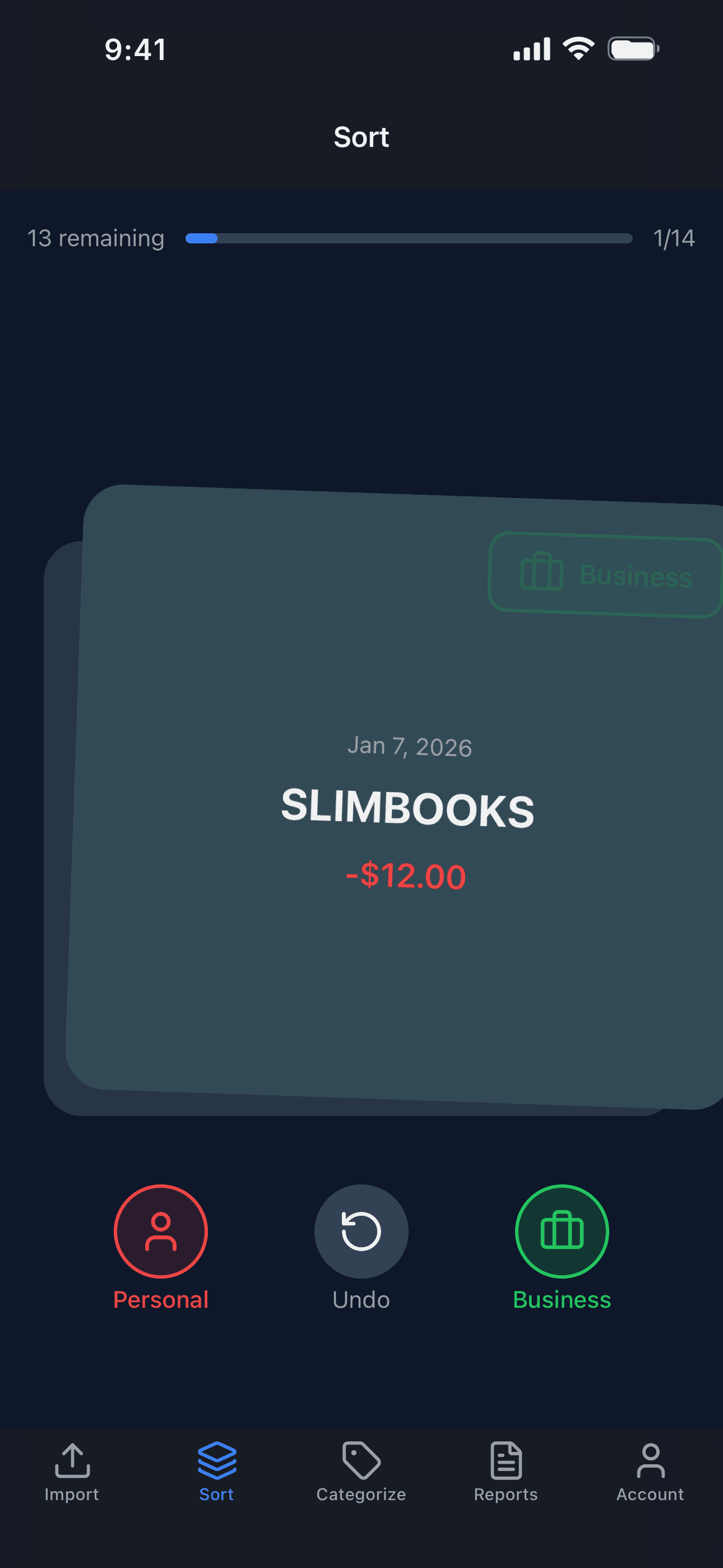
Swipe each transaction business or personal, and SlimBooks totals your year by Schedule C line



Free to start · No credit card · Read-only bank access
What you get
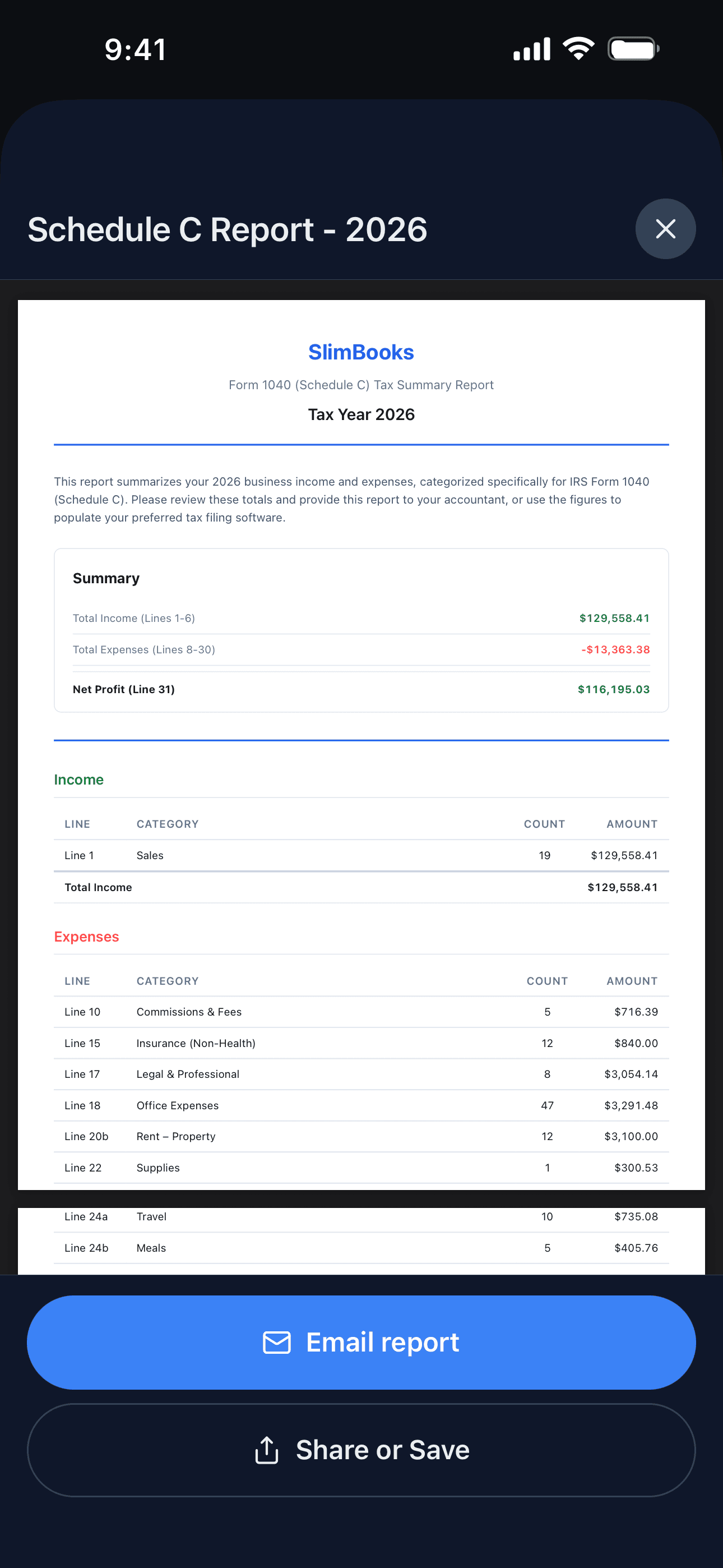
A Schedule C summary your accountant can use
Your year's income and expenses, totalled by IRS line number, with a count for every category. Email it to your accountant or type the numbers into the tax software you already use.
Every Schedule C line
- Home Office
- Car & Truck
- Office Expenses
- Contract Labor
- Travel
- Meals
- Legal & Professional
and the rest, from Advertising to Wages
Plus the costs claimed elsewhere on your return
They come out of the business account but don’t belong on Schedule C, so SlimBooks keeps them in their own bucket instead of losing them.
- Owner Health Insurance
- Owner Retirement Plans
- HSA Contributions
- Federal and State Estimated Taxes
- Charitable Donations
SlimBooks organizes what you spent. What you can deduct is between you and your accountant; SlimBooks isn’t a tax preparer and doesn’t give tax advice.
How it works
Three steps, no bookkeeping to learn
Import
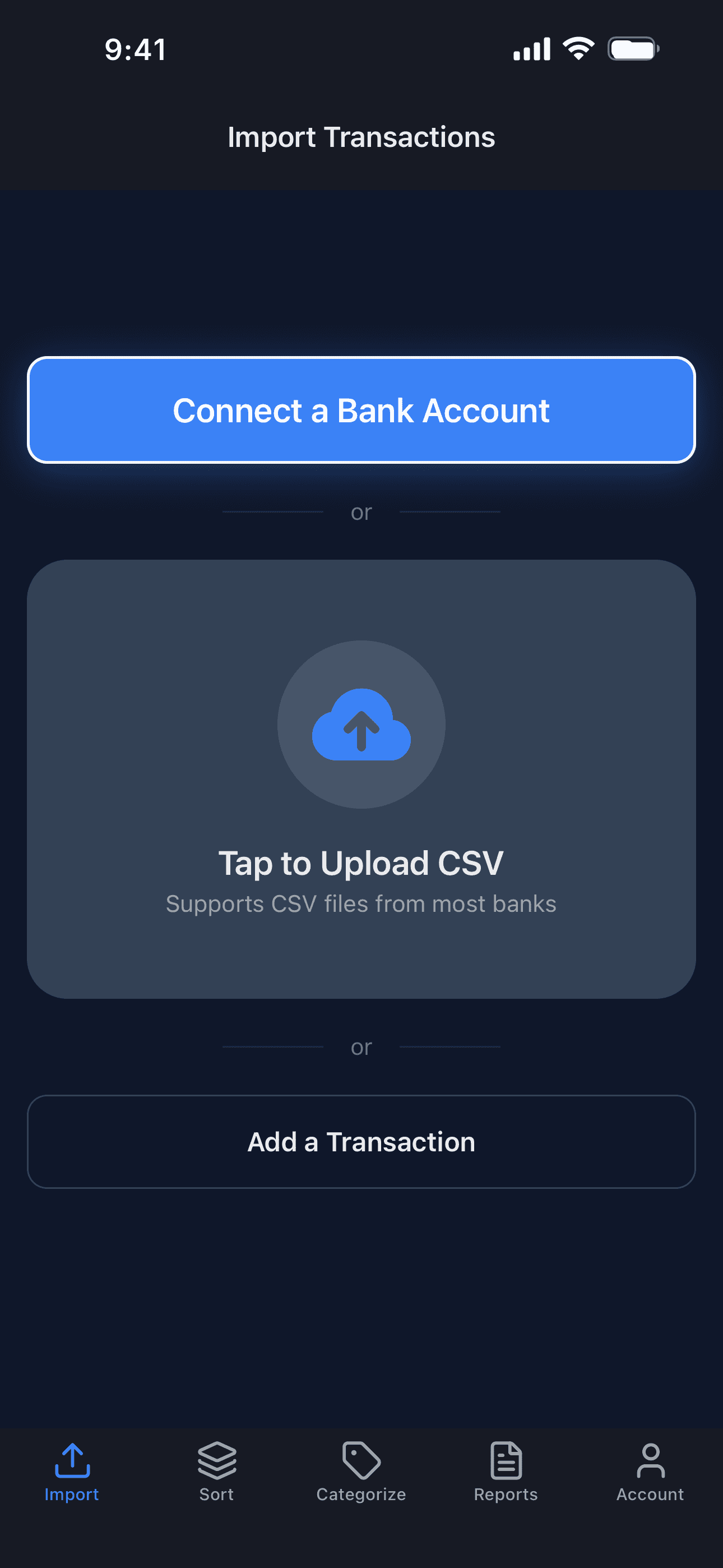
Connect a bank and transactions arrive on their own, or upload a CSV or Excel file from any bank. You can add one by hand too.
Sort
Transactions come up one at a time. Swipe right for business, left for personal. A wrong swipe undoes with a tap.
Categorize
Choose the Schedule C category for each business transaction. With Autopilot, a suggestion is already filled in and you confirm it.
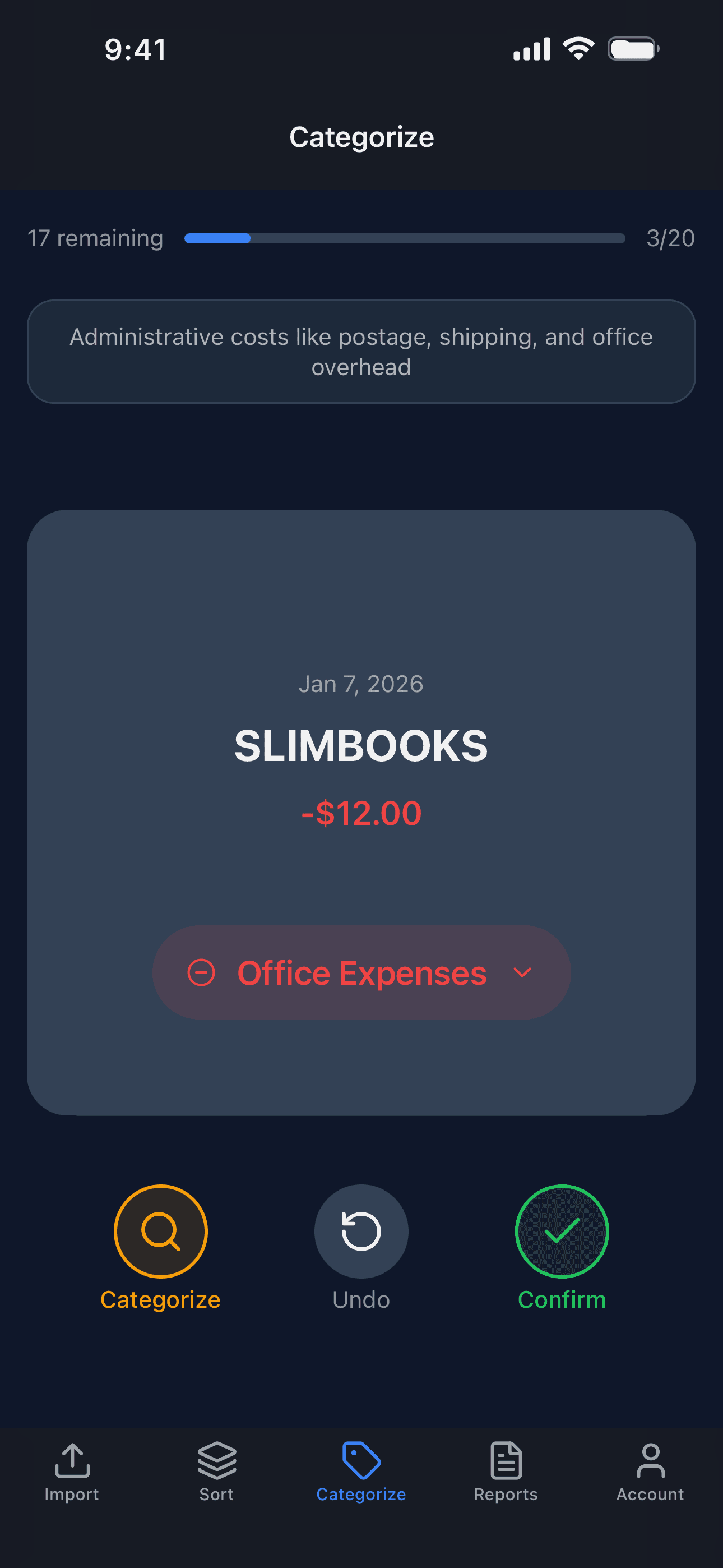
With Autopilot it learns as you go: categorize a merchant once and it’s filled in the next time.
Is it for you?
Built for one kind of business, done properly
Built for you if
- You sell your time and skill, not goods
- You're a sole proprietor or single-member LLC filing Schedule C
- You don't hold inventory (staff are fine)
Not the right tool if
- You buy or sell inventory
- You've elected S-Corp treatment
- You file as a partnership or C-Corp
Not sure? The app asks 2 questions when you sign up and tells you right away if it isn’t a fit.
Why SlimBooks exists
Hi, I’m Gustavo. I’m a former CPA, and I still dreaded tax season: a shoebox of receipts and an extension every April. So I built the tool I wanted, one that turns your business spending into a tax-ready report without you ever learning bookkeeping. If you can swipe on a dating app, you can get your taxes ready. And if anything’s confusing, email me. It comes straight to me, and I read every one.
Gustavo
Founder, SlimBooks
Security and privacy
It's your bank account, and we treat it that way
Read-only bank access
Bank connections run through Plaid. Your login goes to your bank, never to us, and nothing in SlimBooks can move money.
Your data isn't the product
We don't sell your data or advertise against it. It's used to run SlimBooks and to improve its category suggestions.
Encrypted and deletable
Bank tokens are encrypted with AES-256-GCM. Delete your account from the app or this site and your transactions and bank connections go with it, as our privacy policy describes.
Pricing
Free until doing it by hand annoys you
Sorting, categorizing and the Schedule C report are free with file and manual imports. Autopilot brings your transactions in for you.
Manual
Free
No credit card, no trial clock
- Unlimited CSV and Excel imports
- Add transactions by hand
- Swipe to sort business and personal
- Every Schedule C category
- Accountant-ready PDF report
Autopilot
$9.99/month
Subscribe in the app
First month free
Everything in Manual, plus:
- Automatic bank sync, no more exports
- Connect up to 2 banks
- Suggested categories on everything that syncs
- Learns your merchants as you categorize
The free month is for new subscribers. After it, Autopilot renews monthly until you cancel, and cancelling before the month ends means you pay nothing. You subscribe and cancel through the App Store or Google Play.
FAQ
Questions people actually ask
Do I have to connect my bank?
No. Uploading a CSV or Excel file, or typing transactions in, is the free plan, with no card and no time limit. Connecting a bank is what Autopilot adds.
What does it cost?
Free for imports by file or by hand. Autopilot is $9.99 a month through the App Store or Google Play, with the first month free for new subscribers. It renews monthly until you cancel, and you can cancel any time.
Will it find deductions I'm missing?
It makes sure you look at every transaction. Anything you never categorize can't reach your return, so SlimBooks walks you through all of them with every Schedule C category in front of you, and keeps a separate bucket for costs claimed elsewhere, like owner health insurance and estimated taxes.
Does SlimBooks file my taxes?
No. It isn't a tax preparer and doesn't give tax advice. It produces a Schedule C summary, your income and expenses totalled by IRS line, for your accountant or your filing software.
What if I put something in the wrong place?
Undo is right on the swipe screens, and you can re-categorize any transaction later from the transaction list.
Why won't it work for inventory or an S-Corp?
Both need forms SlimBooks doesn't produce: Form 1125-A for cost of goods sold, and Form 1120-S for an S-Corp. The app asks 2 questions at sign-up and tells you upfront if it isn't a fit.
Your books are one afternoon away from done